
Currently Empty: ₹0.00
Online Classes
What Is a Computer: 7 Amazing Power Facts
What is a Computer?
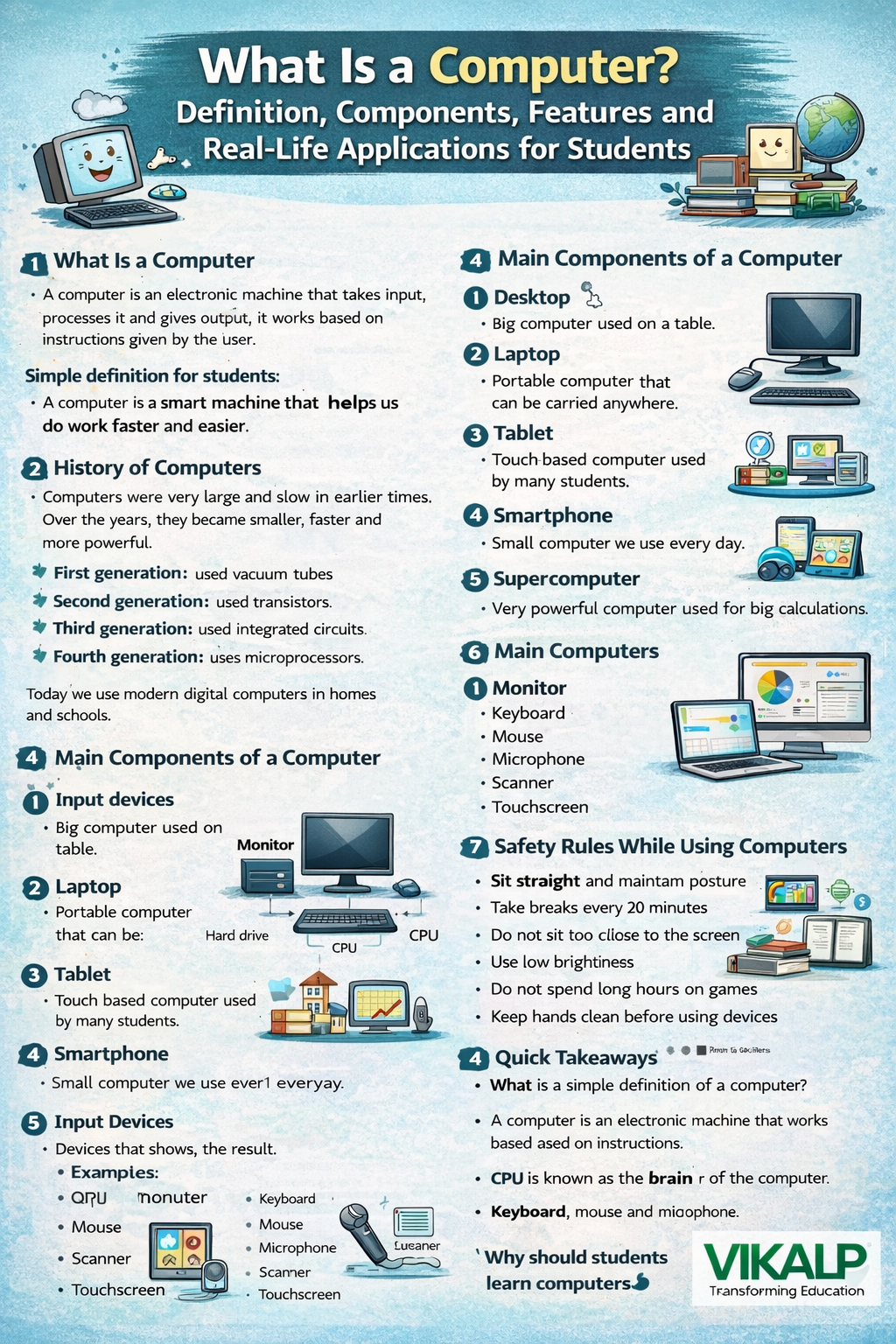
Computers are an important part of modern student life. From attending online classes to completing homework and playing educational games, computers help children learn faster and smarter. But many students still wonder – What Is a Computer and how does it actually work? This guide explains the meaning of a computer, its parts, features and real-life uses in very simple language. It is specially written for students from classes 3 to 8 so that learning about computers becomes easy and enjoyable.
1. Introduction
What Is a Computer?
A computer is an electronic machine that takes input, processes information and gives output.
Simple definition for students:
A computer is a smart machine that helps us do work faster and easier.
Computers work by following instructions given by users. They do not think on their own but perform tasks accurately and quickly.
2. History of Computers
In the early days, computers were very large and slow. Over time, technology improved and computers became smaller, faster and more powerful.
-
First generation – Used vacuum tubes
-
Second generation – Used transistors
-
Third generation – Used integrated circuits
-
Fourth generation – Uses microprocessors
Today, modern computers are used in homes, schools and offices.
3. Types of Computers
There are different types of computers used for different purposes:
-
Desktop – A computer kept on a table
-
Laptop – A portable computer
-
Tablet – A touch-based computer used by students
-
Smartphone – A small computer used daily
-
Supercomputer – A very powerful computer for big calculations
4. Main Parts of a Computer
To understand What Is a Computer, students must know its main parts. A computer works using four basic components:
-
Input devices
-
Processing device
-
Storage devices
-
Output devices
All these parts work together to complete tasks.
5. CPU – The Brain of the Computer
The CPU stands for Central Processing Unit. It is called the brain of the computer because it controls all activities and processes data. Without the CPU, a computer cannot work.
6. Memory of a Computer
Computers use memory to store information.
-
RAM – Stores data temporarily
-
Storage devices – Hard drive or SSD stores data permanently
Memory helps computers work smoothly and quickly.
7. Input Devices
Input devices help users enter data into the computer.
Examples include:
-
Keyboard
-
Mouse
-
Microphone
-
Scanner
-
Touchscreen
8. Output Devices
Output devices show the result of the work done by the computer.
Examples include:
-
Monitor
-
Printer
-
Speakers
-
Projector
9. Software Meaning
Software is a set of instructions that tells a computer what to do. Hardware is the physical part that we can touch, but software cannot be touched.
10. Types of Software
There are two main types of software:
-
System software – Windows, Linux, iOS
-
Application software – MS Word, Paint, Calculator, games
11. Features of a Computer
Computers have many useful features:
-
Very fast
-
Accurate results
-
Stores large amounts of data
-
Works for long hours
-
Can multitask easily
These features explain What Is a Computer and why it is useful.
12. What Computers Can and Cannot Do
Computers can calculate, store and display information quickly. However, they cannot think or feel like humans. They only work as per instructions.
13. Uses of Computers for Students
The uses of computers for students are many:
-
Online classes
-
Homework and projects
-
Watching educational videos
-
Learning games
-
Drawing and creativity
-
Basic coding
14. Safety Rules While Using Computers
Students should follow safety rules:
-
Sit straight
-
Take breaks every 20 minutes
-
Keep screen brightness low
-
Do not play games for long hours
-
Keep hands clean
15. Future of Computers
In the future, computers will become smarter with artificial intelligence and voice commands. Students who understand computer basics today will benefit greatly tomorrow.
Conclusion
Now students clearly understand What Is a Computer and how it helps in daily life. Computers make learning easier, faster and more fun. By knowing the parts of a computer and the uses of computers for students, children build a strong digital foundation. Computer knowledge is an important life skill for the future. At Vikalp Online School, we teach basics of Computers to Advanced Coding Courses.